Product update – October 2026
The customer page has been rebuilt around one question: what does this customer need next? Every text and email in one history, their equity over time, and signal cards that sum it up for you.
The customer page, rebuilt
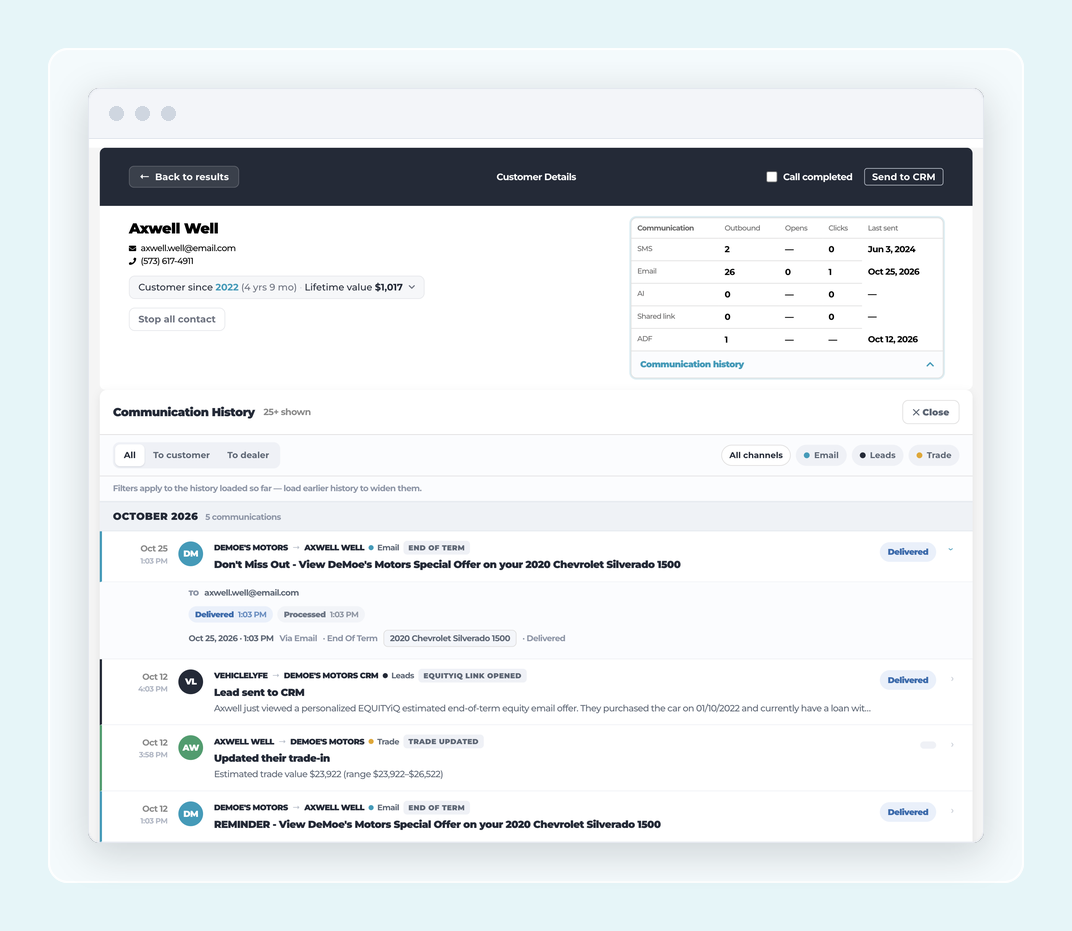
The customer page now gives dealers a full view of each customer in one place: vehicles they own, want, and used to own, what they are looking for, and a clear read on equity with payoff and allowance shown so the number is trustworthy. Dealers can mark a vehicle as no longer owned and undo it, flag a customer Do Not Contact, and see equity refresh on the spot when it is stale. The vehicle strip lets a dealer filter or explore across what the customer owns, wants, and has owned, and the investment view shows equity and depreciation per vehicle so a conversation about the next deal starts from real numbers. Website visits now tie to the right customer instantly, and the signal card no longer takes credit for a stale or unverified service click.
Communication History on the customer page
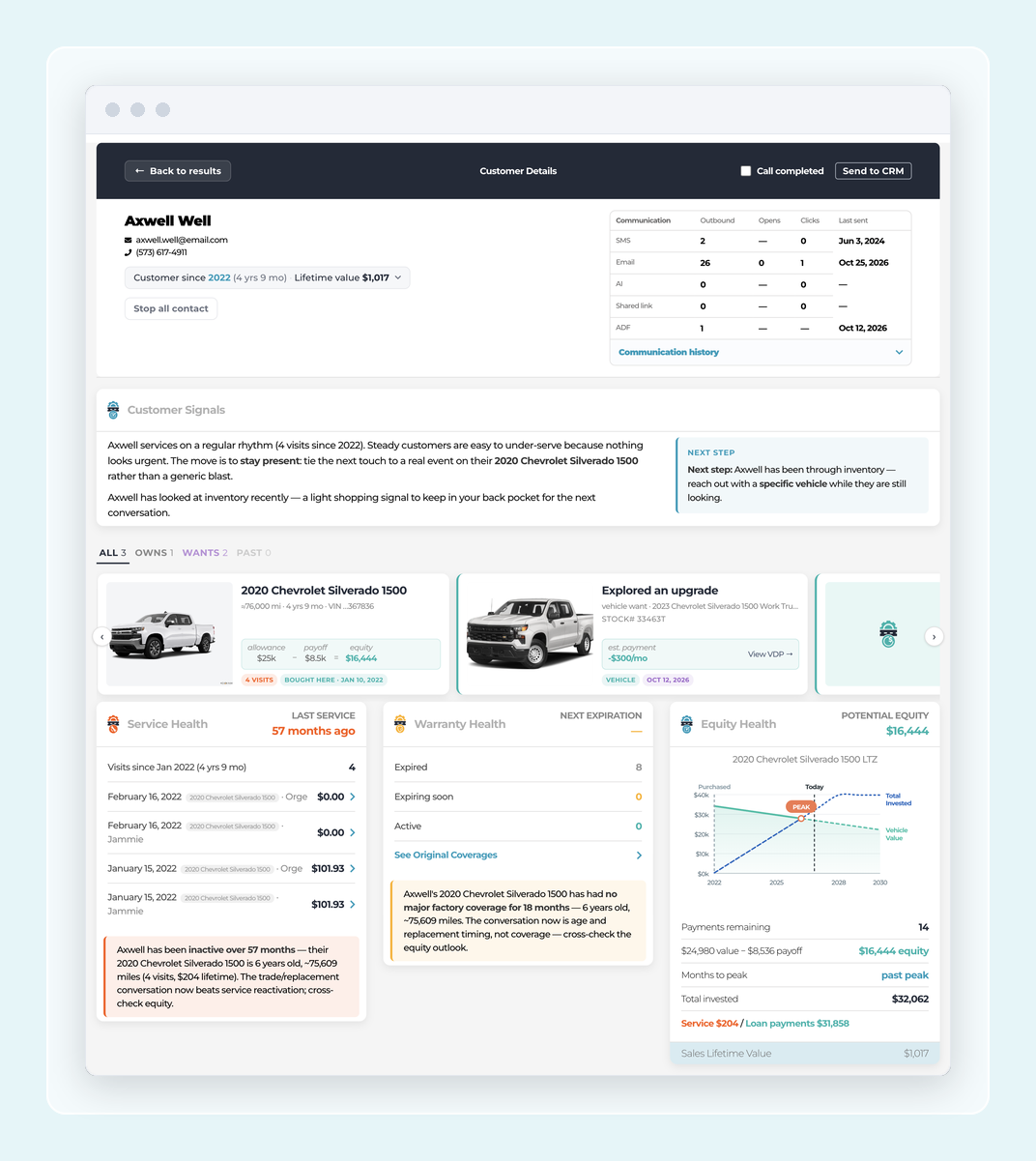
The customer page now opens a full Communication History panel from the Communications box in the header. Dealers can see every email, SMS, and Rosey message sent to the customer, which program sent it, when it went out, and whether it was delivered, opened, clicked, or bounced. ADF leads sent to the dealer show up in the same timeline. Each row expands to the actual message the customer received, grouped by month so a quick scroll shows what the customer has heard from the store.
Investment Peak chart on the customer page
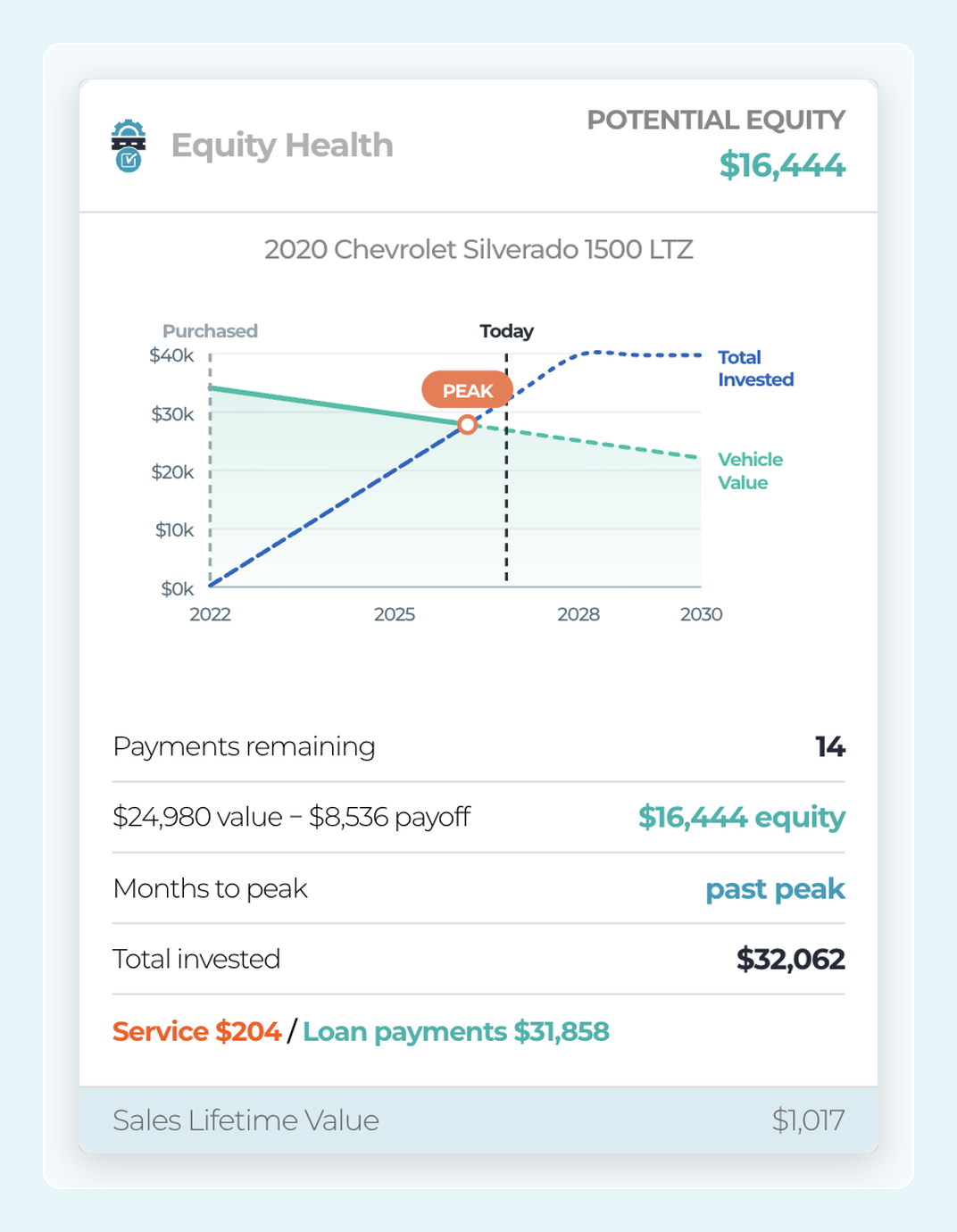
The customer page now shows an Investment Peak chart that visualizes where a customer's vehicle sits on the equity curve. Three scenarios — standard, strong-start, and long-term keeper — give the sales team a clear picture to work from in a trade conversation. The chart pulls from the customer's actual vehicle and finance terms, so what the dealer sees matches that customer's real position.
Smarter summaries on customer signal cards
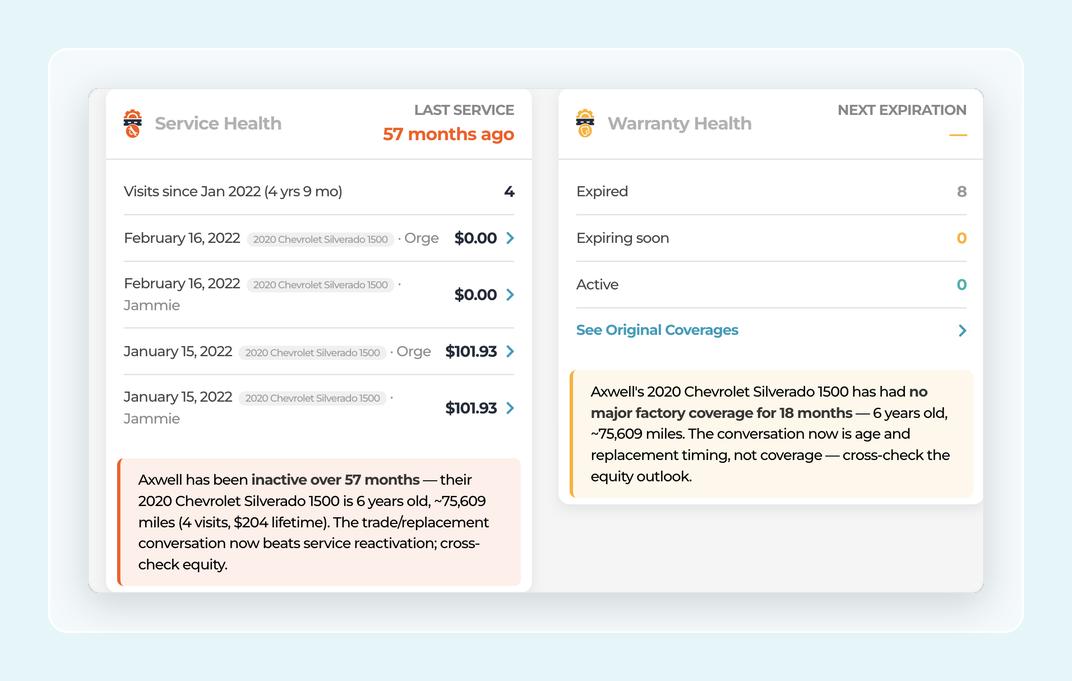
Signal cards on the customer page now show clearer, more specific summaries that match what the dealer is actually looking at. Equity cards call out when a vehicle is at its investment peak, and warranty cards handle the case where a purchased warranty is still active alongside the original factory coverage. The result is less guesswork for the person working the customer and a faster read on why the signal matters.
Every one of these is live today. Log in at illumiQUOTE.com to see them. Questions? Reply to your release email or reach your VehicleLyfe rep.