Product update – October 2026
The Customer List now does more of the work for you: sharper filters with numbers that match your reports, service appointments and cars in the shop right on the list, and one click to send a customer to your CRM.
The new Customer List
VehicleLyfe now has a Customer List that shows every customer and known lead in one place, grouped by household when it applies. Each row surfaces the vehicle, equity, lifetime value, and recent engagement at a glance, with Text, Email, and View actions on every customer. Dealers can sort, filter by make, model, year, and new or used, and scroll straight through the full list without paging.
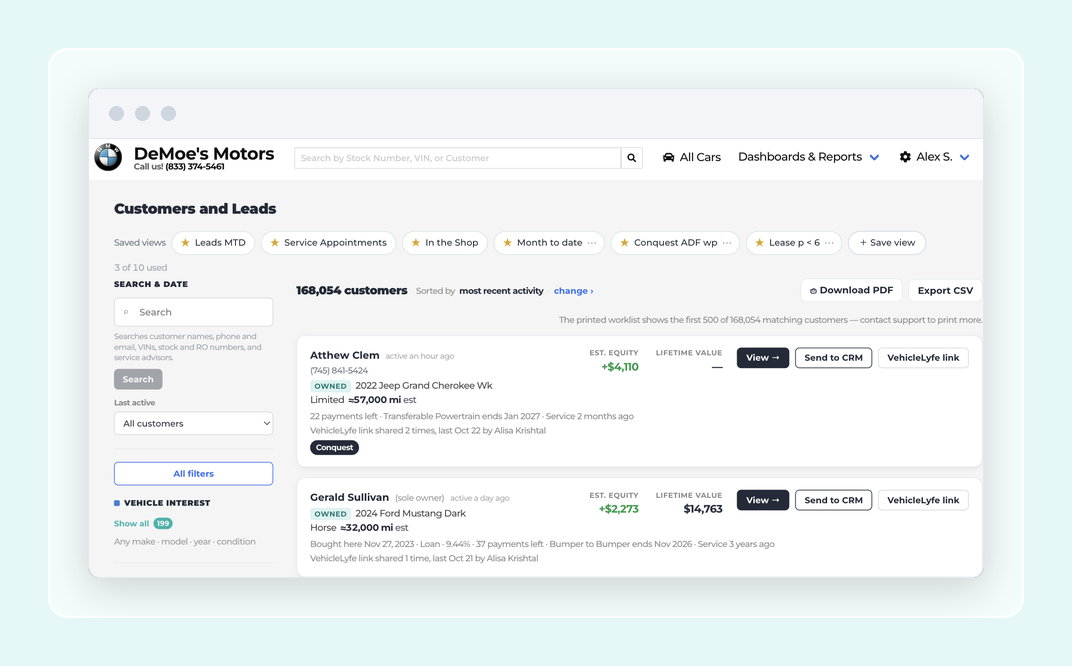
Watch the video: https://www.loom.com/share/944acc71a4df47168ac304864820924f
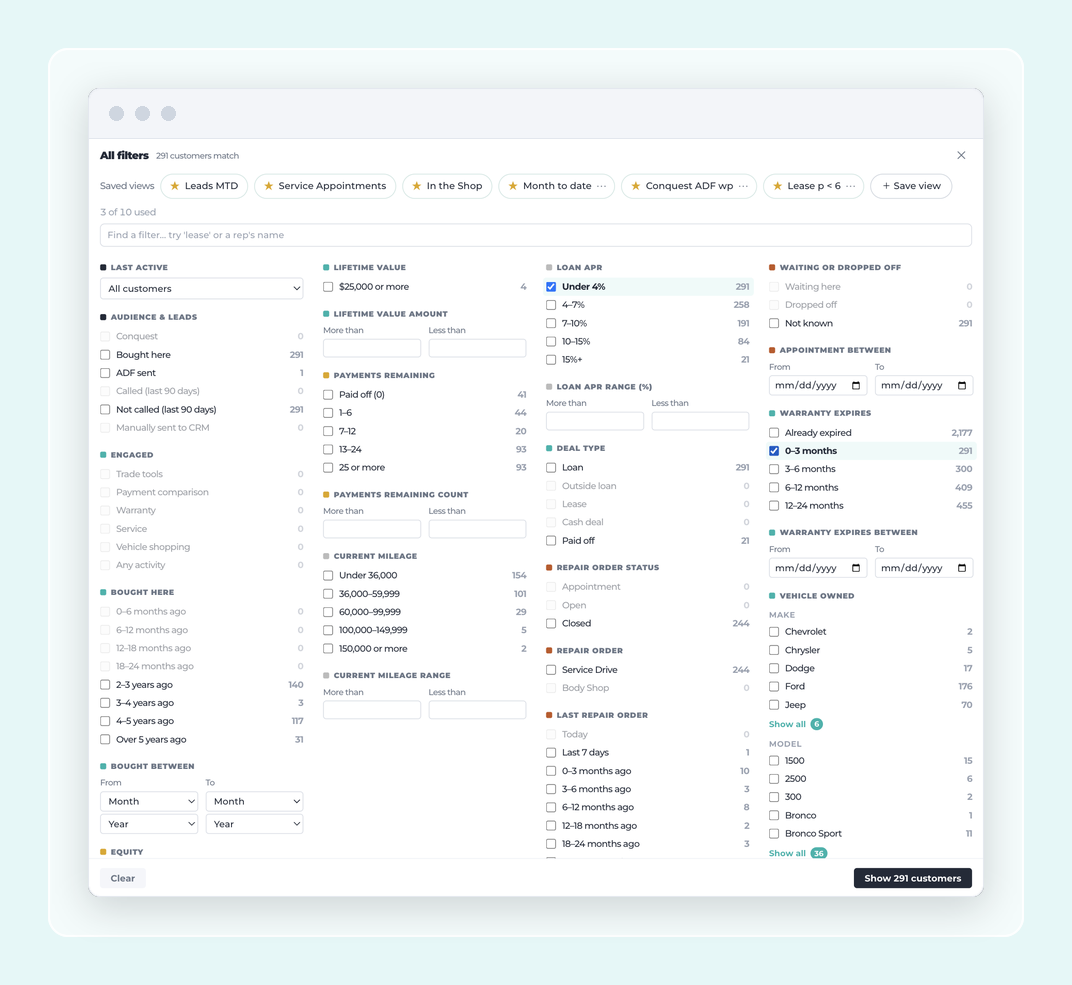
A sharper Customer List with better filters, matching numbers, and one-click report drill-downs
The Customer List now filters on what dealers actually hunt for: loan APR for special finance shoppers, warranty remaining, current mileage, and separate time windows for service visits and vehicle purchases including a month-level "bought between" picker. Every owned-car filter checks each vehicle a customer owns, not just one, so households with multiple cars show up correctly. Lifetime value and best-customer loyalty now read from the same definition everywhere, so the number on the Customer List matches the number on the customer page. Clicking a figure in the Engagement Report or Loyalty Report drops the dealer straight into a pre-filtered Customer List, and saved customer sets stay accurate over time even as records change. A call completion checkbox lets the person working the list mark who they've reached without leaving the screen.
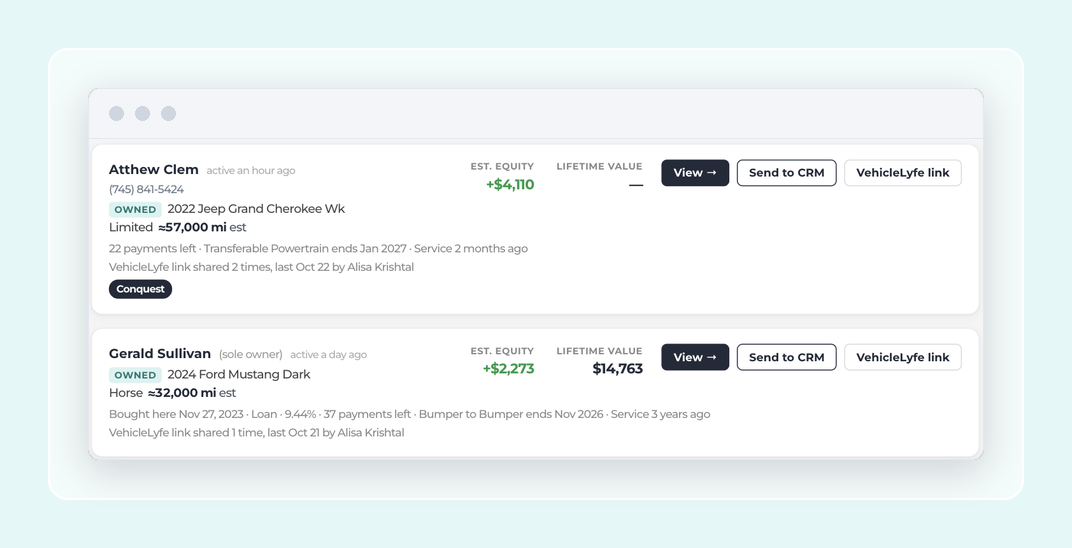
Send a customer to the dealer's CRM from the Customer List
A Send to CRM button sits on every customer card in the Customer List, under View. One click forwards that customer to the store's CRM as a single lead the CRM counts as called. The button reads Send again after a send. Two new filters — Called and Manually sent to CRM — let a rep see who has already been forwarded.
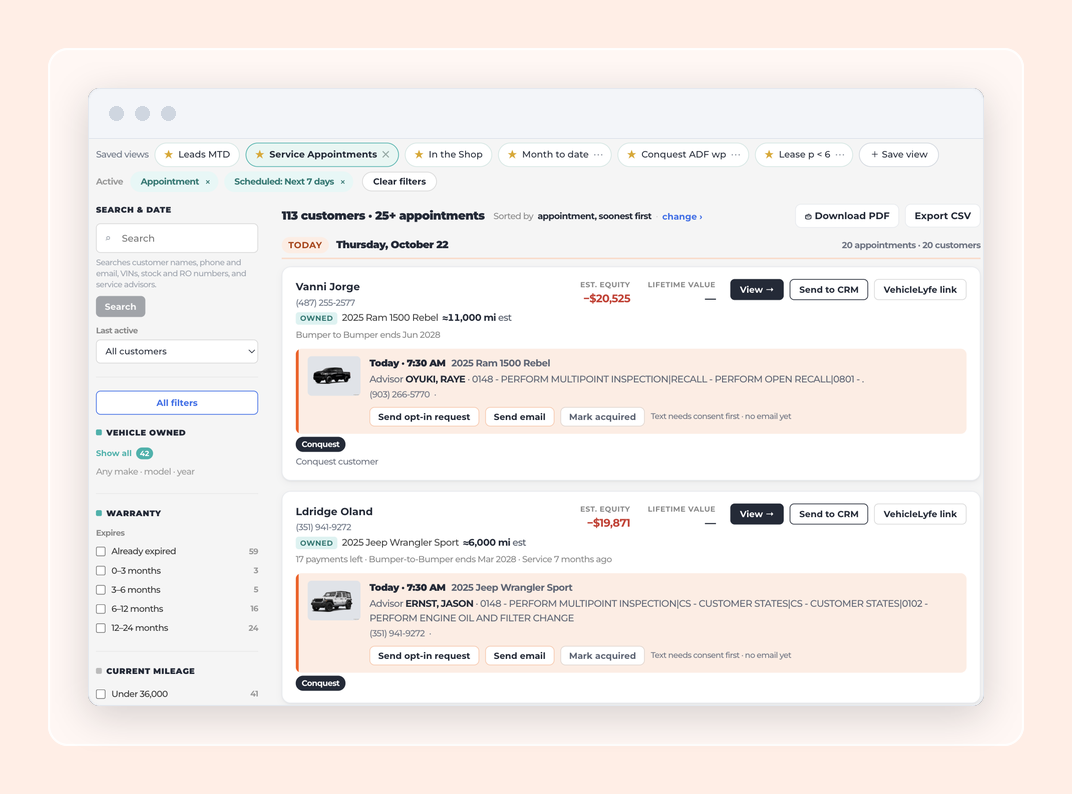
Service appointments and open repair orders on the Customer List
The Customer List now shows upcoming service appointments and open repair orders on each customer row — appointment time, vehicle, advisor, transportation, op codes and estimate right there. Two built-in views, Service Appointments and In the Shop, replace the old Service Appointment Dashboard. Advisors can send, resend or acquire from the row, search by customer name, phone, email, VIN, repair order number or advisor, and download the worklist as a PDF or export it as CSV.
In the Shop: sort, filter waiters, and export the worklist
The In the Shop view on the Customer List now sorts by the most recently opened repair order, so the newest tickets rise to the top. A new filter separates waiters from drop-offs, so the BDC can focus on the right customers at the right moment. And the worklist exports to CSV in a format an outbound calling partner can pick up and dial.
On the horizon next
Campaigns: build a trade-up list from a CSV and send it from one place. And scheduled lists, so the call list you built today rebuilds itself every Monday.
Every one of these is live today. Log in at illumiQUOTE.com to see them. Questions? Reply to your release email or reach your VehicleLyfe rep.